
We spent about a year building Mozaik, an open-source TypeScript framework for multi-agent systems. We wanted agents to work concurrently on the same task. One agent could investigate a problem while another checked the code, and they could share what they learned while both were still working.
That led us to a question. What happens when one agent learns something that should change what another agent is about to do? If an agent is about to edit a file and a teammate tells it the file has changed, we want a chance to pause before the edit goes through.
That question eventually led us to build an agent debugger into JigJoy.
How we split the Mozaik runtime
As Mozaik grew, we split the runtime into two independent parts.
Mozaik Agent manages an individual agent’s loop. It handles model inference and tool calls and gives developers control over when the loop advances.
Mozaik Network connects agents so they can exchange messages in real time, including when they run on different machines. An agent can run on its own, then join a network when it needs to collaborate.
We also built Mozaik Rule Engine so an agent can have several behaviors and switch between them at runtime. In the file-editing example, the agent’s usual behavior is to apply its pending edit. When a teammate reports that the file has changed, a higher-priority rule can tell the agent to read it again first. The engine selects the highest-priority rule that matches the current situation.
Where the debugger came from
While working on the agent loop, we realized there was a useful moment between the model requesting a tool call and the runtime executing it. At that point, we know which tool the model chose and exactly what arguments it supplied. We can pause there, inspect the call, and decide whether to continue.
We called this the Loop Breakpoint Pattern. It applies to both tool calls and model inference. I wrote a separate article about how the pattern works. Once we had that control in the runtime, we could put it directly into the IDE.
Building an agent and giving it tools
In JigJoy, we start by creating an agent, writing its instructions, and choosing the tools it can call. Let’s say we’re building an agent that reviews GitHub issues. We give it one tool for reading an issue and another for posting a comment. In its instructions, we describe what to look for and when a comment would be helpful.
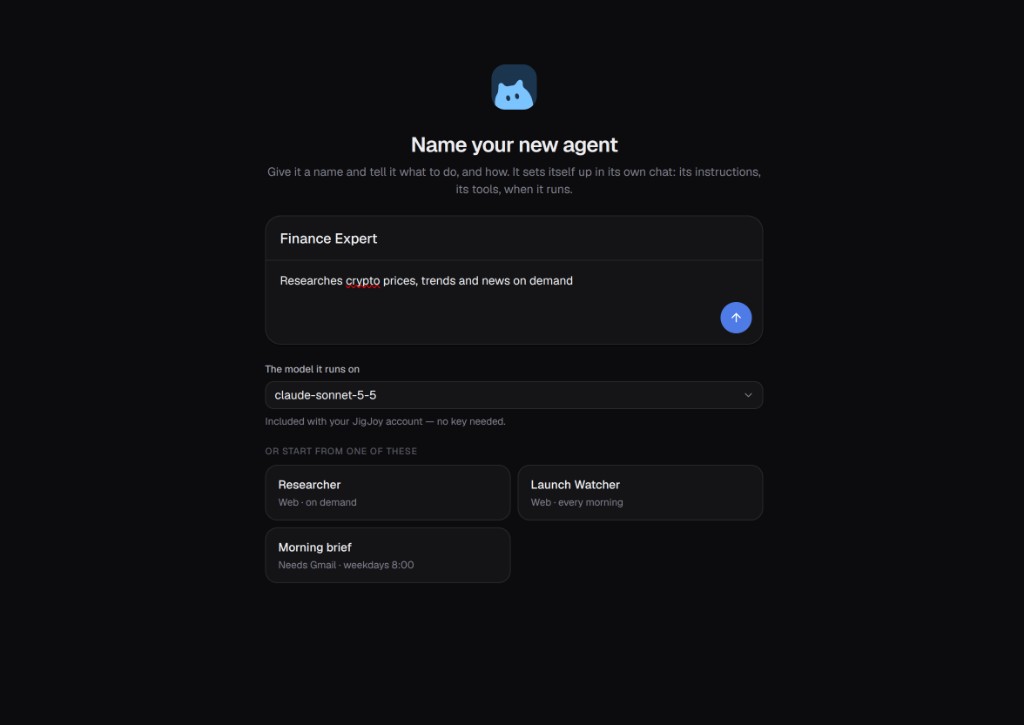
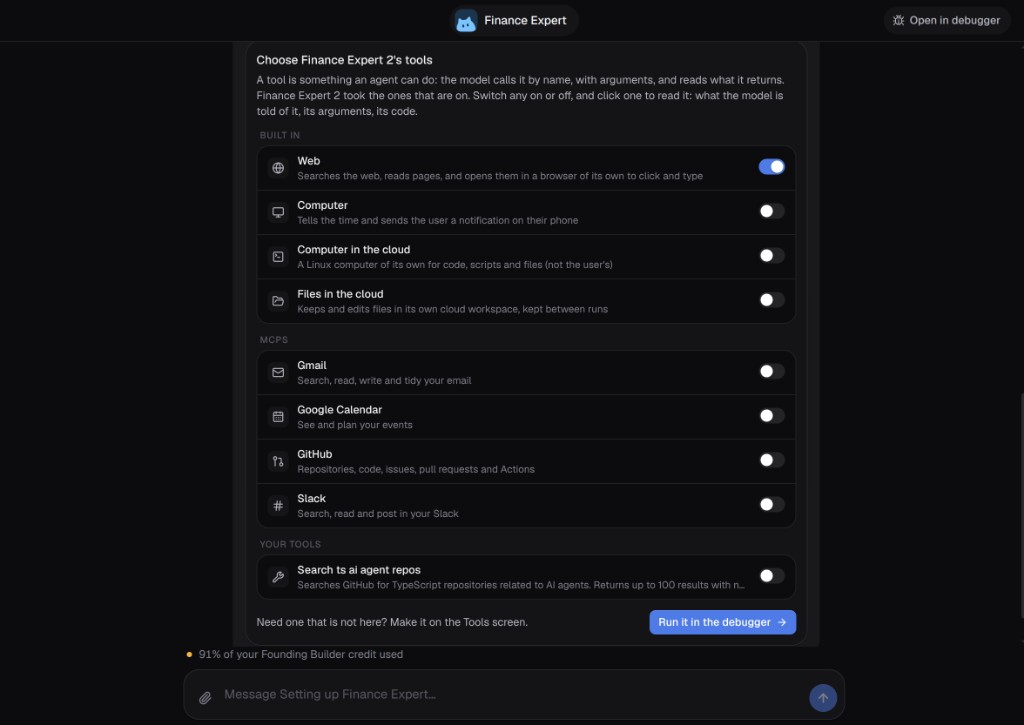
Now we have something specific to test. Given an issue, does the agent read the right one? If it decides to comment, what will it post?
Debugging a tool call before it runs
We open the agent in debugger mode and give it an issue to review. We let it read the issue, then pause when it requests the tool for posting a comment.
This is the moment I wanted to see when we started building the debugger. The model has already drafted its comment. We can read the exact text and check the issue number it supplied. The comment is still inside the debugger, and nothing has been posted to GitHub.
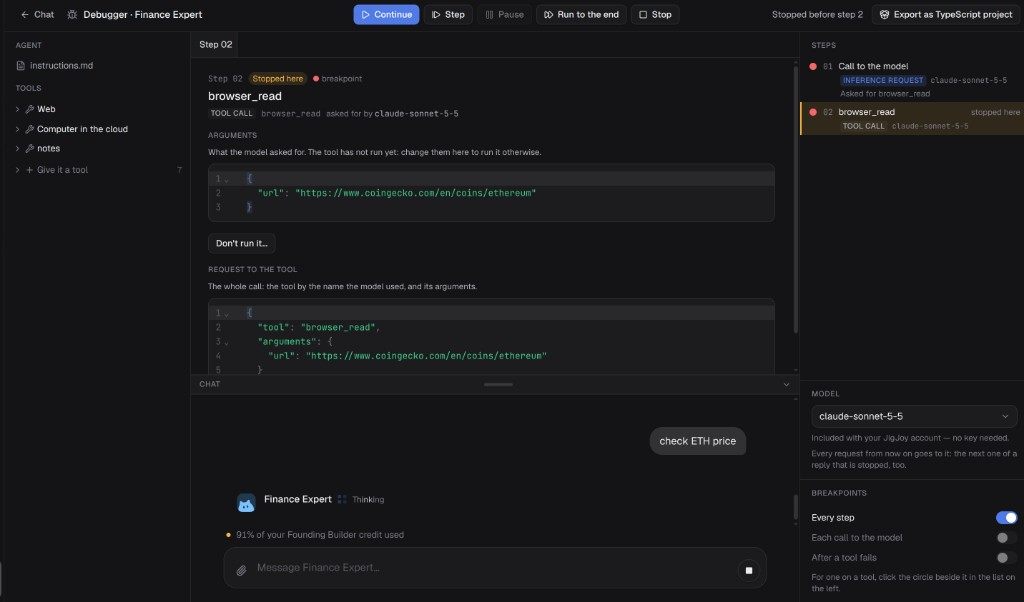
If the issue number and the comment look right, we continue execution and let the tool post it. If something looks wrong, we stop the run. We can refine the agent’s instructions or clarify the tool description, then try the same issue again and see whether the agent makes a different decision.
Connecting agents across machines
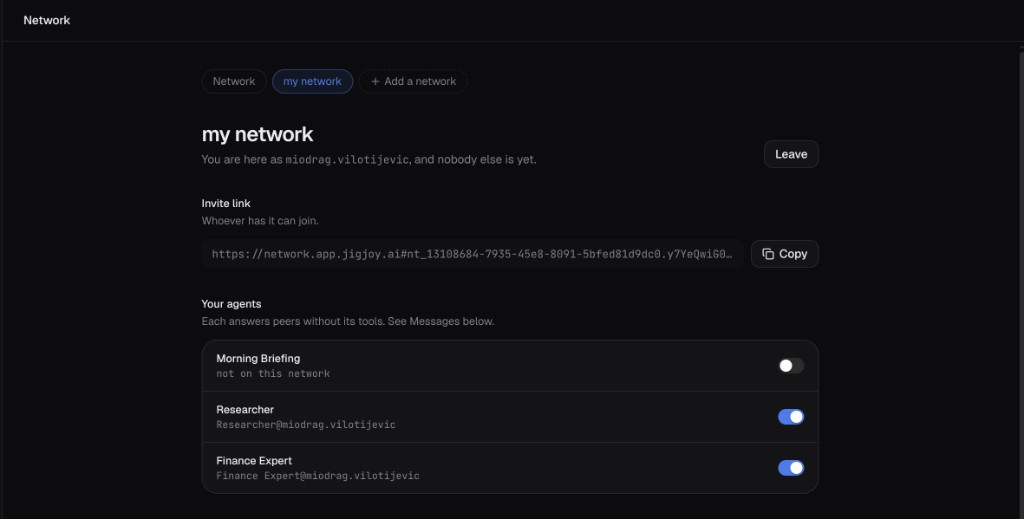
Mozaik Network is also available in JigJoy. Two agents running on different machines can join the same network, exchange messages in real time, and work on a task together.
For example, the issue reviewer on my machine can ask an agent on a teammate’s machine to check the relevant code. That agent can inspect its local checkout and send back what it finds. The reviewer can use those findings when drafting its comment, and I can still inspect the proposed comment in the debugger before it goes out.
Deploying an agent to the cloud
Once we’re happy with how the agent behaves, we can deploy it to the cloud in one click from JigJoy. After deployment, we get a URL for the running agent. It stays live until we stop it.
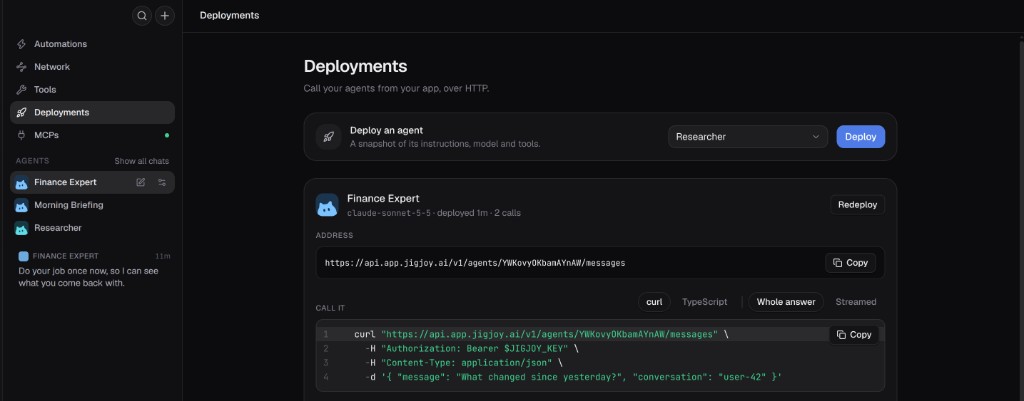
Sending a message to the deployed agent
The deployment panel includes a curl command for that URL. We run it from a terminal and send Finance Expert a message, with a conversation id so later messages stay in the same thread.
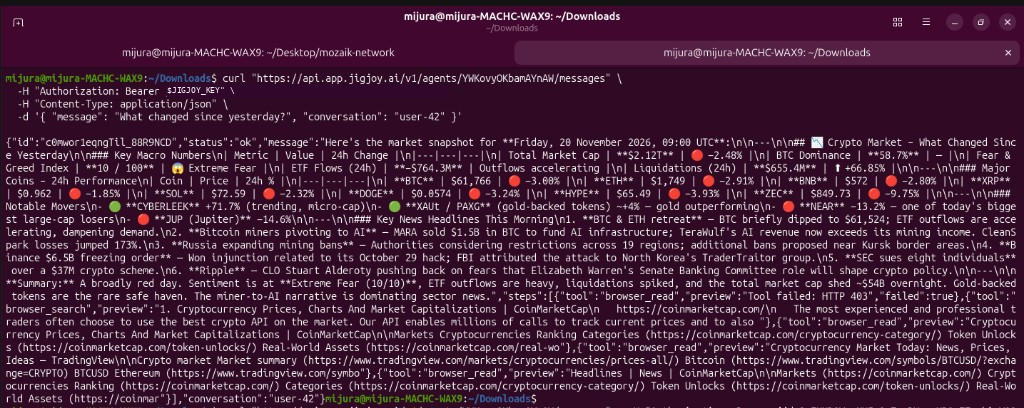
We asked what changed since yesterday. The agent replied with a market snapshot for conversation user-42. That HTTP call is the same one our own app would make.
Exporting the source as a Node.js project
We can also export the agent we built as a Node.js project. That gives us the source code to open in our editor, commit to a repository, or keep developing with a coding agent.
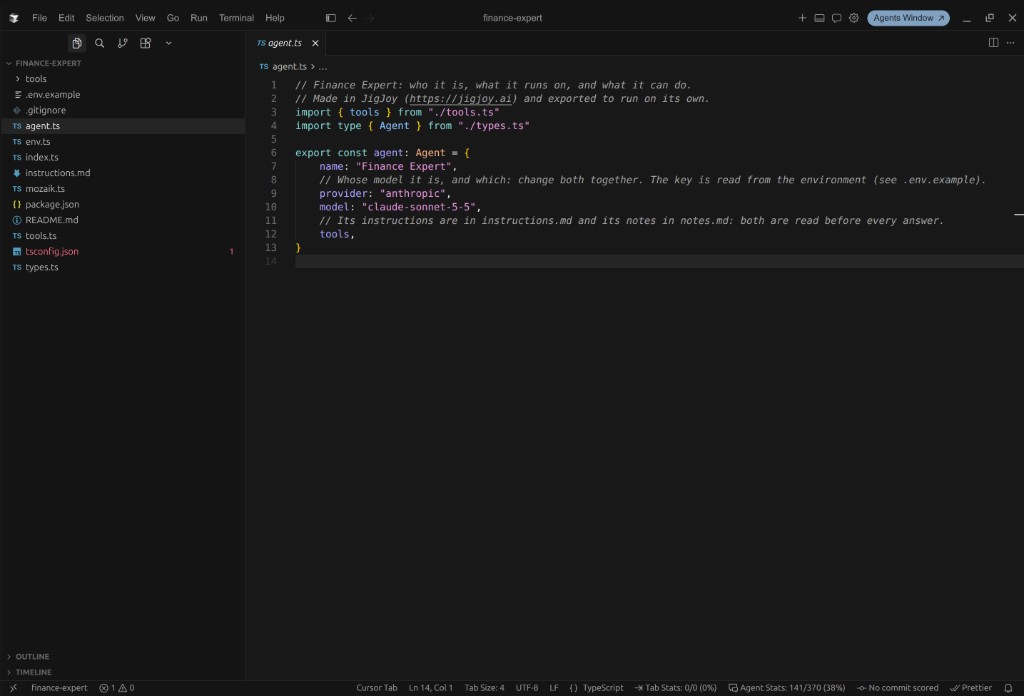
What I like most about this workflow is that I can start with a concrete question: What is this agent about to do? I can answer it by looking at an actual tool call, refine the behavior, then deploy the agent or take the source code with me.
The IDE is available at jigjoy.ai.